Software for shops that build and sell their own parts
If you build parts and kits for the shelf, suspension kits and other automotive parts included, and sell them through a web store or to the trade, this keeps the bills of materials, the orders and the stock together. It tells you what to build for the shelf before it runs empty.
From the kit to the shelf
Kits and bills of materials. A bill of materials lists what goes into each part you make, and the quantity of each. You load yours from a CSV file, or add lines one at a time. Logging a finished run takes the components off the shelf using that list.
Web store orders. For one store platform today, and we add others as shops need them. Orders are pulled in when you press sync, or every 10 minutes once you turn automatic sync on. It only reads from the store and never changes anything in it.
QuickBooks. Invoices and sales receipts are read from QuickBooks Online into your sales history. QuickBooks Desktop reports load as CSV files. Nothing is written back to your books.
What to make for the shelf. The list works out how fast each part sells, from your sales history and your open order lines, and how many days your stock will last. It shows how many to build to reach the days of stock you want, and Send to floor puts that many on the production board.
Reorder. Set a reorder point on a part you buy. The Reorder list shows what has dropped below it and what is already on order.
The shelf and the buying list
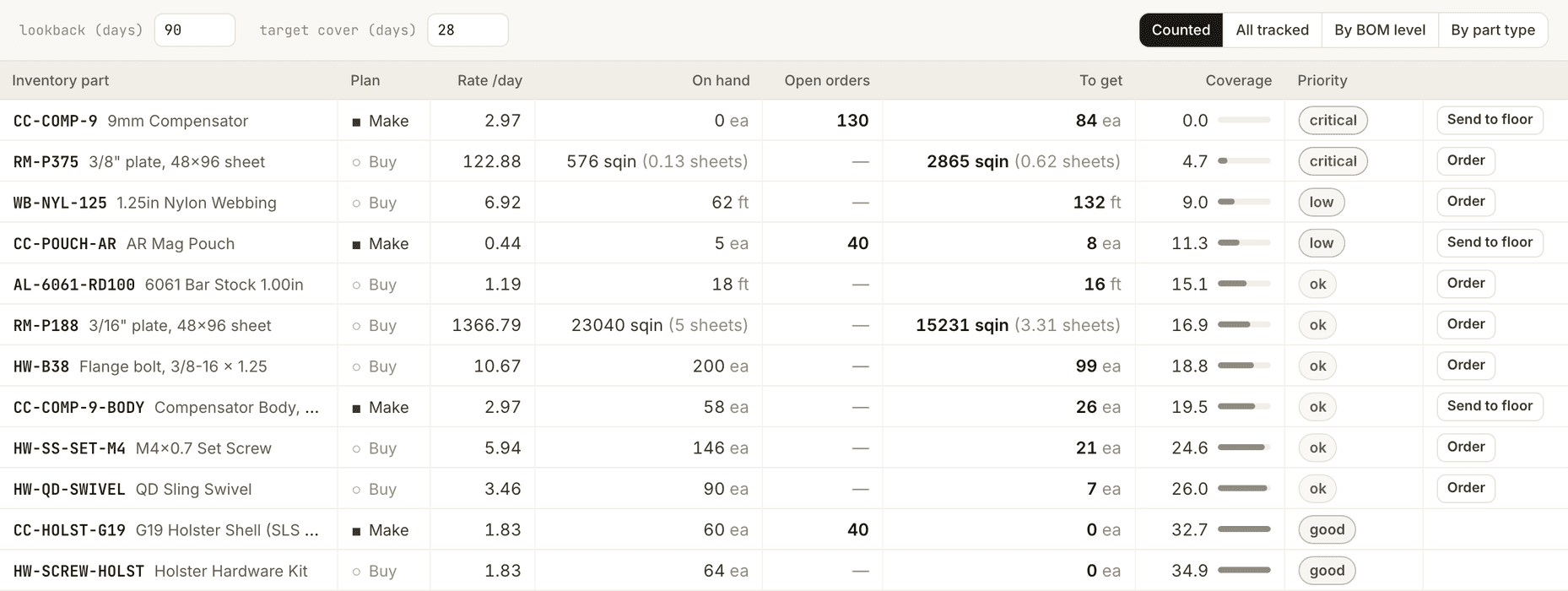
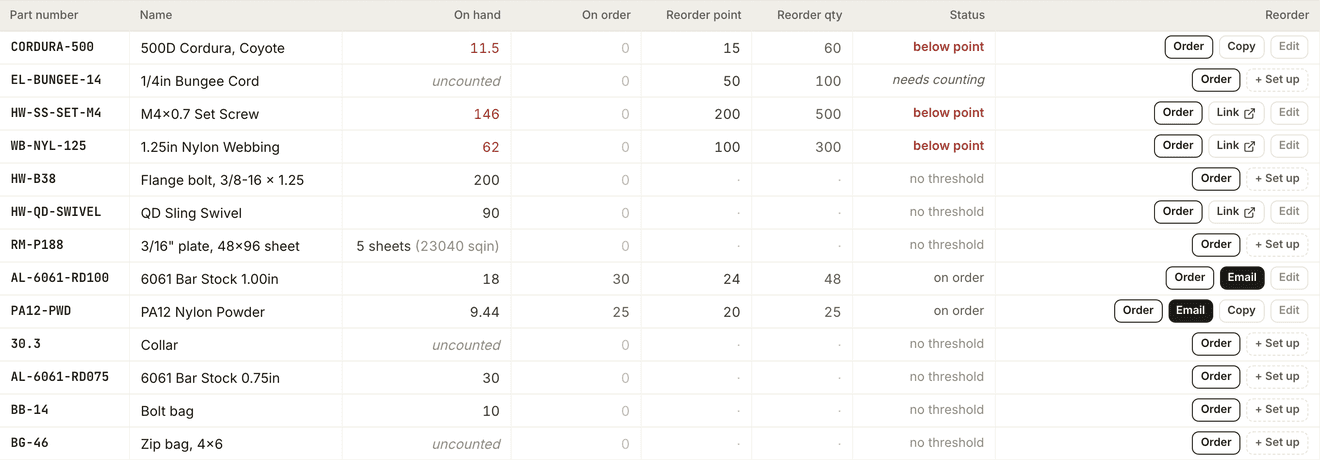
A part with no count has no days of cover, so the list asks for the full target until someone counts it. Component counts are only as good as the bills of materials behind them.
Who it is for
A shop that makes its own parts and kits, keeps a shelf of them, and sells through a web store, by phone or to the trade. It suits a shop that decides what to build by walking the shelf.
Who it is not for
It is the wrong choice if you need orders from your store platform to come in on their own on day one and it is not the one we connect to yet. It does not send purchase orders or invoices into QuickBooks. Send to floor has no undo, and it does not book a machine or hold material.
We set it up with you
We meet you. In person or online. You show us the shelf and how you decide what to build.
We set it up with you. You get the modules your shop needs. Your parts, bills of materials, inventory counts and past sales load from the spreadsheets you already have.
We keep building with you. What you ask for gets built.
Tell us what you build, where you sell it and how you decide what to make next. We will set up a time to meet.
Reach out to the founders